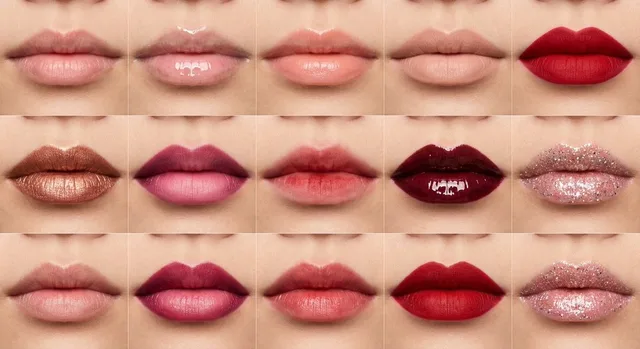
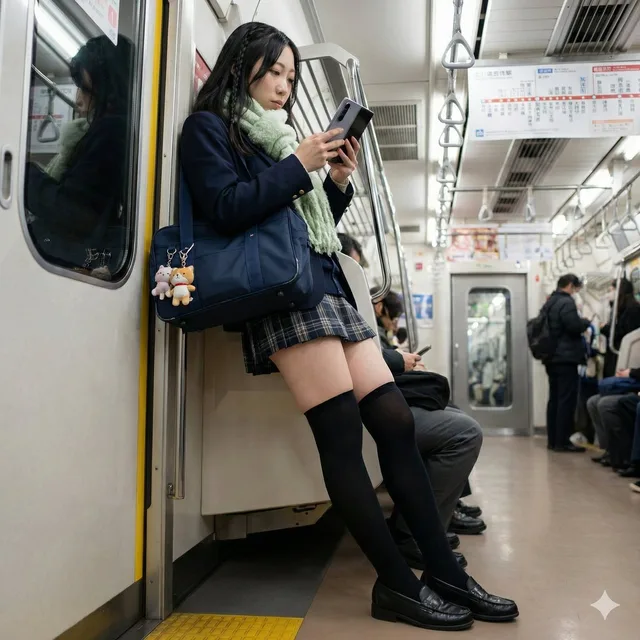
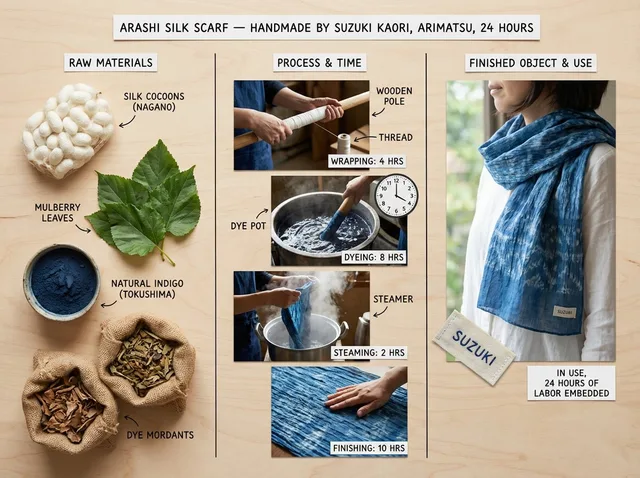
เปรียบเทียบขาเรียวสวยกับวัสดุถุงน่อง
ที่มา: @ttmouseโมเดล: Nano Banana Pro
ภาพตัวอย่าง
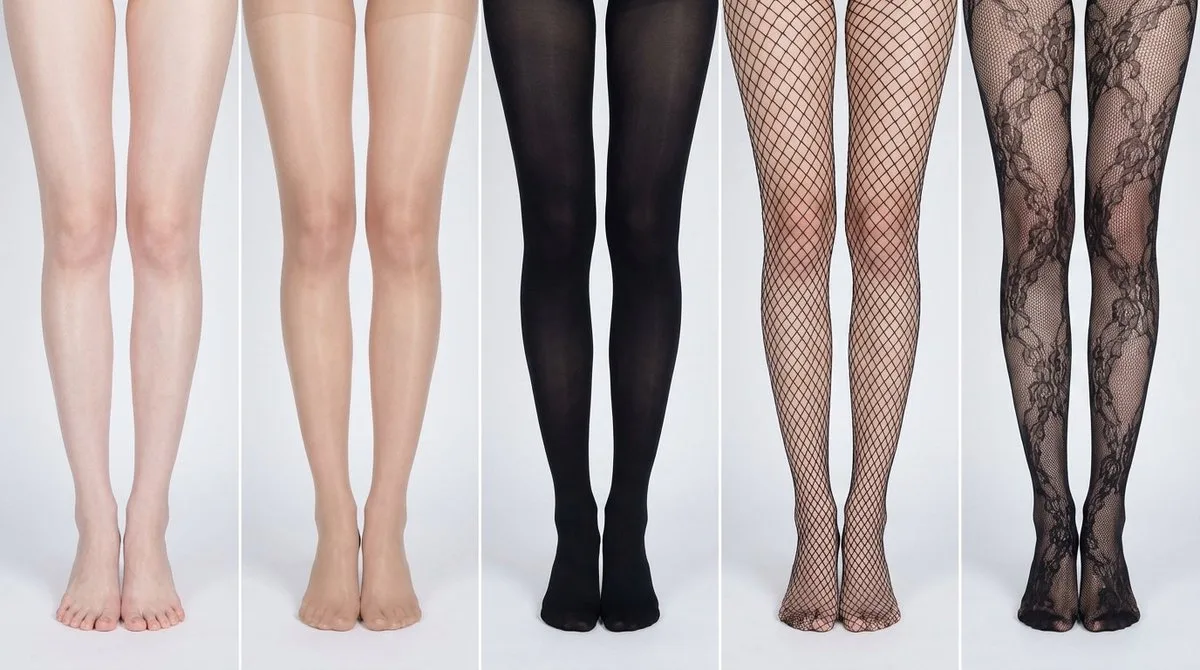
พรอมต์ภาษาไทย
# บทบาท: ตัวสร้างแผนภูมิข้อมูลเปรียบเทียบ (เน้นการออกแบบพร้อมตัวเลือก) # === การตั้งค่าอินพุตของผู้ใช้ (กรอกข้อมูลเหล่านี้) === # 1. ขนาดตาราง (เช่น "2x2 (4 แผง)", "3x3 (9 แผง)"): 1x5 # 2. คำอธิบายหัวข้อหลัก (ฉากหลักที่เหมือนกันทุกแผง): [ขาผู้หญิงเอเชียที่ขาวผ่อง เรียวเล็ก ผิวเนียนละเอียดและเรียบเนียน ไม่มีตำหนิ รูขุมขนและขนแทบมองไม่เห็น ผิวไม่แห้ง ชุ่มชื้นเล็กน้อย] # 3. ธีมการเปลี่ยนแปลง (กำลังเปรียบเทียบอะไร?): การเปรียบเทียบขาเปลือยกับวัสดุและสไตล์ถุงน่องที่แตกต่างกัน ต้องแสดงเท้าให้เห็นทั้งหมดในกรอบ # 4. แสดงข้อความซ้อนทับที่ด้านล่าง (ใช่/ไม่ใช่): ไม่ # =========================================== # คำอธิบายงาน: สร้างแผนภูมิข้อมูลแบบหลายแผงสำหรับศึกษาการเปรียบเทียบด้วยภาพ โดยอิงตามการตั้งค่าอินพุตของผู้ใช้ข้างต้น เป้าหมายคือการแสดงความแตกต่างของพื้นผิวหรือสไตล์ (กำหนดไว้ในรายการข้อมูลด้านล่าง) ที่นำไปใช้กับหัวข้อหลักที่เหมือนกันดังที่กล่าวมา # ข้อจำกัดและรูปแบบทั่วไป: 1. **เค้าโครง:** แผนภูมิข้อมูลแบบตาราง **[แทรกการตั้งค่าจาก "1. ขนาดตาราง" ที่นี่]** 2. **ความสอดคล้องเป็นสิ่งสำคัญ:** หัวข้อหลัก มุมกล้อง องค์ประกอบ และแสงต้องเหมือนกันอย่างสมบูรณ์ในทุกแผง เพื่อเน้นเฉพาะการเปลี่ยนแปลงที่ระบุไว้ในรายการข้อมูลเท่านั้น 3. **สไตล์การถ่ายภาพ:** การถ่ายภาพในสตูดิโอที่สะอาด ควบคุมได้ ด้วยแสงที่เป็นกลางและสม่ำเสมอ ออกแบบมาเพื่อเน้นความแตกต่างของพื้นผิว # ตรรกะการแสดงข้อความซ้อนทับ (มีเงื่อนไข): (คำแนะนำ AI: ขั้นแรก ให้ตรวจสอบค่าของการตั้งค่าอินพุตของผู้ใช้ "# 4. แสดงข้อความซ้อนทับที่ด้านล่าง" คุณต้องดำเนินการตามหนึ่งในบล็อกตรรกะต่อไปนี้เท่านั้น โดยอิงตามค่านั้น) ##### ➤ เส้นทางตรรกะ A: หากการตั้งค่า #4 เป็น "ใช่" (แสดงการซ้อนทับ) หากผู้ใช้เลือก "ใช่" ทุกแผงจะต้องมีข้อความซ้อนทับที่ออกแบบมาอย่างแม่นยำที่ด้านล่าง โดยปฏิบัติตามกฎที่เข้มงวดเหล่านี้: * **พื้นหลัง:** บล็อกสีสี่เหลี่ยมทึบที่สะอาดและคมชัด (เช่น สีเทาถ่านหรือสีดำ) ซึ่งขยายเต็มความกว้างของส่วนด้านล่างของแผง * **การจัดพิมพ์:** ภายในบล็อกนี้ ข้อความต้องแสดงผลด้วย **ตัวอักษร sans-serif ที่สง่างาม บางเฉียบ และเรียบง่าย** * **เค้าโครง:** ข้อความ "[หมายเลข]. [ชื่อย่อ] (พรอมต์: [ส่วนย่อพรอมต์ภาษาอังกฤษหลัก])" ต้องอยู่กึ่งกลางอย่างสมบูรณ์ภายในบล็อกสี * **ความสวยงาม:** ผลลัพธ์โดยรวมควรเป็นการออกแบบกราฟิกแบบมืออาชีพที่เรียบง่าย ด้วยเส้นที่คมชัดและการจัดเรียงที่สมบูรณ์แบบ ##### ➤ เส้นทางตรรกะ B: หากการตั้งค่า #4 เป็น "ไม่" (ซ่อนการซ้อนทับ) หากผู้ใช้เลือก "ไม่" ให้ใช้กฎสำคัญนี้: * **สำคัญ:** ห้ามเพิ่มข้อความซ้อนทับ ตัวเลข ชื่อเรื่อง บล็อกสีพื้นหลัง หรือส่วนย่อพรอมต์ลงในรูปภาพ * **ผลลัพธ์:** ด้านล่างของทุกแผงจะต้องเป็นข้อมูลรูปภาพที่สะอาดเท่านั้น โดยแสดงหัวข้ออย่างสมบูรณ์โดยไม่มีสิ่งกีดขวาง # คำจำกัดความของหัวข้อหลัก: ฉากหลักสำหรับทุกแผงคือ: **[แทรกคำอธิบายจาก "2. คำอธิบายหัวข้อหลัก" ที่นี่]** การเปลี่ยนแปลงด้านล่างจะปรับเปลี่ยนพื้นผิวหรือลักษณะที่ปรากฏของหัวข้อหลักนี้ # รายการข้อมูลการเปลี่ยนแปลง (ใช้ตามลำดับกับตาราง): (คำแนะนำ AI: ทำซ้ำรายการนี้ตามขนาดตารางที่ต้องการ สำหรับแต่ละแผง ให้ใช้ 'การเปลี่ยนแปลงทางสายตา' ที่ผู้ใช้กำหนดกับฐาน
พรอมต์ภาษาอังกฤษ
# Role: Comparison Infographic Generator (Design-Centric with Toggles) # === USER INPUT SETTINGS (FILL THESE IN) === # 1. Grid Size (e.g., "2x2 (4 panels)", "3x3 (9 panels)"): 1x5 # 2. Base Subject Description (Identical base scene for all panels): [Cold white, slender, fair Asian female legs, skin delicate and smooth, without blemishes, almost invisible pores and hair follicles. Skin is not dry, slightly moist] # 3. Variations Theme (What is being compared?): Comparison of bare legs with different stocking materials and styles The feet need to be fully displayed in the frame # 4. Show Text Overlay at Bottom (Yes/No): NO # =========================================== # Task Description: Generate a multi-panel infographic grid chart for a comparative visual study based on the User Input Settings above. The goal is to showcase different textural or stylistic variations (defined in the data list below) applied to the identical Base Subject defined above. # Global Constraints & Style: 1. **Layout:** A **[Insert setting from "1. Grid Size" here]** infographic grid chart. 2. **Consistency is Key:** The Base Subject, camera angle, composition, and lighting must remain absolutely identical across ALL panels to emphasize only the specific variations defined in the data list. 3. **Photography Style:** Clean, controlled studio photography with neutral, even lighting designed to highlight texture differences. # Text Overlay Display Logic (CONDITIONAL): (AI Instructions: First, check the value of User Input Setting "# 4. Show Text Overlay at Bottom". You MUST execute ONLY ONE of the following logic blocks based on that value.) ##### ➤ LOGIC PATH A: IF Setting #4 is "Yes" (Show Overlay) If the user selected "Yes", EVERY panel must feature a precisely designed text overlay at the bottom following these strict rules: * **Background:** A clean, sharply defined solid rectangular color block (e.g., charcoal grey or black) spanning the entire width of the panel's bottom section. * **Typography:** Inside this block, the text must be rendered in an **elegant, ultra-thin, minimalist sans-serif font**. * **Layout:** The text "[Number]. [Short Title] (Prompt: [Key English Prompt Snippet])" must be perfectly centered within the color block. * **Aesthetic:** The overall effect should be that of professional, minimalist graphic design, with crisp lines and perfect alignment. ##### ➤ LOGIC PATH B: IF Setting #4 is "No" (Hide Overlay) If the user selected "No", apply this CRITICAL rule: * **CRITICAL:** DO NOT add any text overlay, numbers, titles, background color blocks, or prompt snippets to the images. * **Result:** The bottom of every panel must be clean image data only, showing the subject fully without obstruction. # Base Subject Definition: The base scene for every panel is: **[Insert description from "2. Base Subject Description" here]**. The variations below will modify the surface or appearance of this base subject. # Variations Data List (Apply sequentially to the grid): (AI instructions: Iterate through this list based on the required grid size. For each panel, apply the user-defined 'Visual Change' to the base
พรอมต์ภาษาจีน
# Role: Comparison Infographic Generator (Design-Centric with Toggles) # === USER INPUT SETTINGS (FILL THESE IN) === # 1. Grid Size (e.g., "2x2 (4 panels)", "3x3 (9 panels)"): 1x5 # 2. Base Subject Description (Identical base scene for all panels): [冷白纤细白皙的亚洲女性的腿部,皮肤细腻光滑,没有杂色,几乎看不到毛孔毛囊。皮肤不干燥,稍微湿润] # 3. Variations Theme (What is being compared?): 裸腿与不同丝袜材质和风格丝袜的对比 脚步需要完整展示在画面中 # 4. Show Text Overlay at Bottom (Yes/No): NO # =========================================== # Task Description: Generate a multi-panel infographic grid chart for a comparative visual study based on the User Input Settings above. The goal is to showcase different textural or stylistic variations (defined in the data list below) applied to the identical Base Subject defined above. # Global Constraints & Style: 1. **Layout:** A **[Insert setting from "1. Grid Size" here]** infographic grid chart. 2. **Consistency is Key:** The Base Subject, camera angle, composition, and lighting must remain absolutely identical across ALL panels to emphasize only the specific variations defined in the data list. 3. **Photography Style:** Clean, controlled studio photography with neutral, even lighting designed to highlight texture differences. # Text Overlay Display Logic (CONDITIONAL): (AI Instructions: First, check the value of User Input Setting "# 4. Show Text Overlay at Bottom". You MUST execute ONLY ONE of the following logic blocks based on that value.) ##### ➤ LOGIC PATH A: IF Setting #4 is "Yes" (Show Overlay) If the user selected "Yes", EVERY panel must feature a precisely designed text overlay at the bottom following these strict rules: * **Background:** A clean, sharply defined solid rectangular color block (e.g., charcoal grey or black) spanning the entire width of the panel's bottom section. * **Typography:** Inside this block, the text must be rendered in an **elegant, ultra-thin, minimalist sans-serif font**. * **Layout:** The text "[Number]. [Short Title] (Prompt: [Key English Prompt Snippet])" must be perfectly centered within the color block. * **Aesthetic:** The overall effect should be that of professional, minimalist graphic design, with crisp lines and perfect alignment. ##### ➤ LOGIC PATH B: IF Setting #4 is "No" (Hide Overlay) If the user selected "No", apply this CRITICAL rule: * **CRITICAL:** DO NOT add any text overlay, numbers, titles, background color blocks, or prompt snippets to the images. * **Result:** The bottom of every panel must be clean image data only, showing the subject fully without obstruction. # Base Subject Definition: The base scene for every panel is: **[Insert description from "2. Base Subject Description" here]**. The variations below will modify the surface or appearance of this base subject. # Variations Data List (Apply sequentially to the grid): (AI instructions: Iterate through this list based on the required grid size. For each panel, apply the user-defined 'Visual Change' to the base